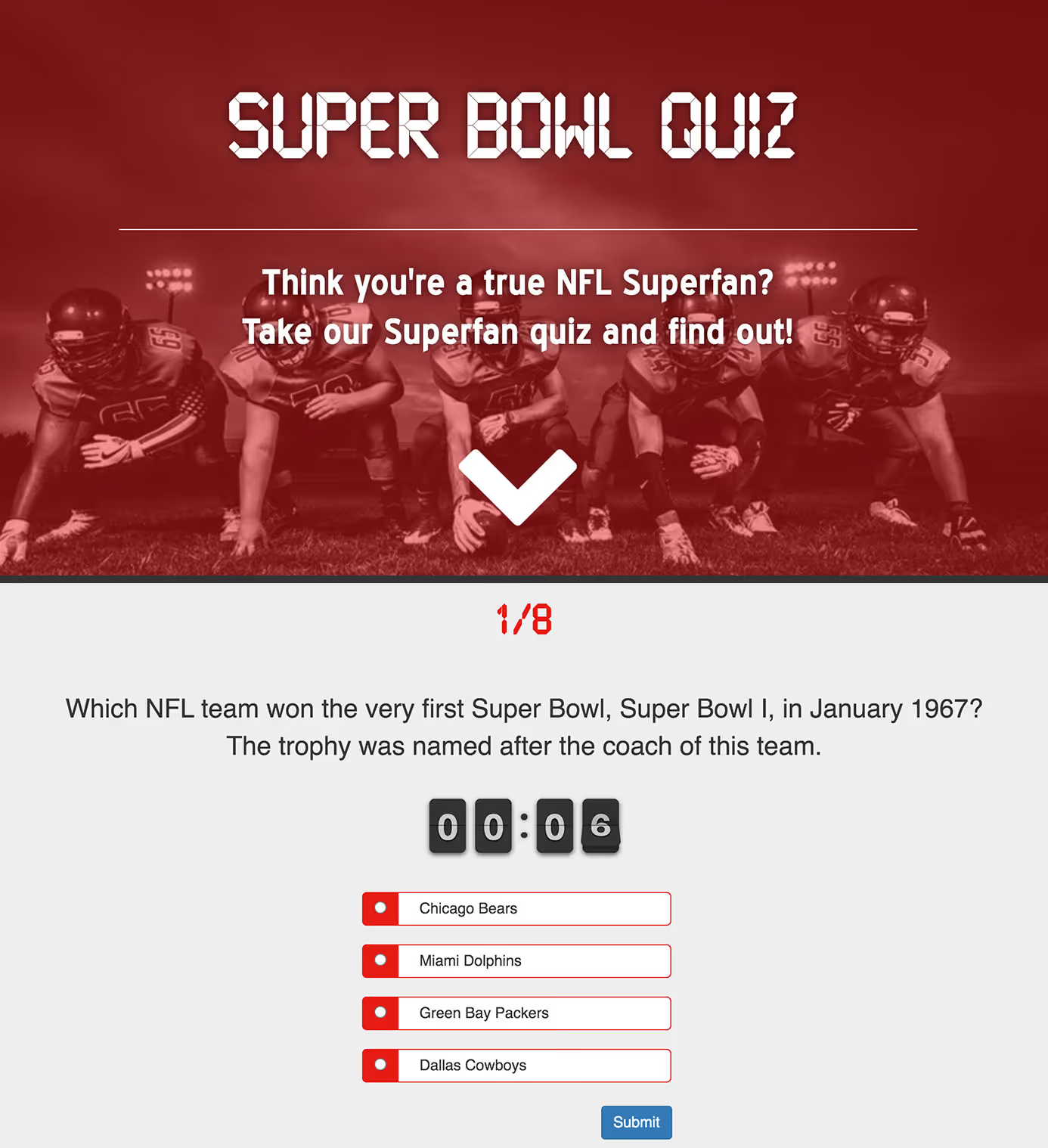
This sample is available as a template in dominKnow | ONE.
Sign up for a free trial to check it out!


[00:03] What would you like to create?
[00:06] Domino One can help you create any kind
[00:08] of learning experience to help your organization.
[00:13] That might be formal learning, like e-learning courses
[00:34] or other learning experiences like games,
[00:48] infographics,
[00:56] or a knowledge base,
[01:01] which can help your learners learn in different ways.
[01:09] Domino One helps your team centralize
[01:11] its learning content development.
[01:13] Your team makes everything in one place,
[01:15] so content files never get lost.
[01:19] Your team can make traditional fixed layout content
[01:23] or make truly responsive content all in one place.
[01:39] It is easy to get started in Domino One.
[01:44] There are great design template sets,
[01:55] collections of stock images like backgrounds and people.
[02:13] You can even start by importing a PowerPoint file
[02:17] with Domino One.
[02:18] Your team will need fewer tools overall.
[02:22] With the Built-in Image editor, you can apply filters
[02:25] and crop or resize images quickly.
[02:27] With the Built-In Capture feature,
[02:29] you can quickly create software lessons.
[02:39] The content your team creates can be shared
[02:41] across multiple projects.
[02:43] The centralized media library makes it easy to track
[02:45] where an image has been used
[02:47] and quickly updated across all pages.
[02:51] Learning topics can be shared across multiple projects.
[02:58] Your team can even work together in real time in any
[03:02] project, and it's so easy to gather.
[03:05] Review feedback, just invite your SMEs to a review.
[03:09] And Domino One helps you track every
[03:10] issue through to completion.
[03:13] Domino one, it's the tool that asks you what would you like
[03:17] to create?

[00:03] What would you like to create?
[00:06] Domino One can help you create any kind
[00:08] of learning experience to help your organization.
[00:13] That might be formal learning, like e-learning courses
[00:34] or other learning experiences like games,
[00:48] infographics,
[00:56] or a knowledge base,
[01:01] which can help your learners learn in different ways.
[01:09] Domino One helps your team centralize
[01:11] its learning content development.
[01:13] Your team makes everything in one place,
[01:15] so content files never get lost.
[01:19] Your team can make traditional fixed layout content
[01:23] or make truly responsive content all in one place.
[01:39] It is easy to get started in Domino One.
[01:44] There are great design template sets,
[01:55] collections of stock images like backgrounds and people.
[02:13] You can even start by importing a PowerPoint file
[02:17] with Domino One.
[02:18] Your team will need fewer tools overall.
[02:22] With the Built-in Image editor, you can apply filters
[02:25] and crop or resize images quickly.
[02:27] With the Built-In Capture feature,
[02:29] you can quickly create software lessons.
[02:39] The content your team creates can be shared
[02:41] across multiple projects.
[02:43] The centralized media library makes it easy to track
[02:45] where an image has been used
[02:47] and quickly updated across all pages.
[02:51] Learning topics can be shared across multiple projects.
[02:58] Your team can even work together in real time in any
[03:02] project, and it's so easy to gather.
[03:05] Review feedback, just invite your SMEs to a review.
[03:09] And Domino One helps you track every
[03:10] issue through to completion.
[03:13] Domino one, it's the tool that asks you what would you like
[03:17] to create?
[00:03] What would you like to create?
[00:06] Domino One can help you create any kind
[00:08] of learning experience to help your organization.
[00:13] That might be formal learning, like e-learning courses
[00:34] or other learning experiences like games,
[00:48] infographics,
[00:56] or a knowledge base,
[01:01] which can help your learners learn in different ways.
[01:09] Domino One helps your team centralize
[01:11] its learning content development.
[01:13] Your team makes everything in one place,
[01:15] so content files never get lost.
[01:19] Your team can make traditional fixed layout content
[01:23] or make truly responsive content all in one place.
[01:39] It is easy to get started in Domino One.
[01:44] There are great design template sets,
[01:55] collections of stock images like backgrounds and people.
[02:13] You can even start by importing a PowerPoint file
[02:17] with Domino One.
[02:18] Your team will need fewer tools overall.
[02:22] With the Built-in Image editor, you can apply filters
[02:25] and crop or resize images quickly.
[02:27] With the Built-In Capture feature,
[02:29] you can quickly create software lessons.
[02:39] The content your team creates can be shared
[02:41] across multiple projects.
[02:43] The centralized media library makes it easy to track
[02:45] where an image has been used
[02:47] and quickly updated across all pages.
[02:51] Learning topics can be shared across multiple projects.
[02:58] Your team can even work together in real time in any
[03:02] project, and it's so easy to gather.
[03:05] Review feedback, just invite your SMEs to a review.
[03:09] And Domino One helps you track every
[03:10] issue through to completion.
[03:13] Domino one, it's the tool that asks you what would you like
[03:17] to create?


[00:03] What would you like to create?
[00:06] Domino One can help you create any kind
[00:08] of learning experience to help your organization.
[00:13] That might be formal learning, like e-learning courses
[00:34] or other learning experiences like games,
[00:48] infographics,
[00:56] or a knowledge base,
[01:01] which can help your learners learn in different ways.
[01:09] Domino One helps your team centralize
[01:11] its learning content development.
[01:13] Your team makes everything in one place,
[01:15] so content files never get lost.
[01:19] Your team can make traditional fixed layout content
[01:23] or make truly responsive content all in one place.
[01:39] It is easy to get started in Domino One.
[01:44] There are great design template sets,
[01:55] collections of stock images like backgrounds and people.
[02:13] You can even start by importing a PowerPoint file
[02:17] with Domino One.
[02:18] Your team will need fewer tools overall.
[02:22] With the Built-in Image editor, you can apply filters
[02:25] and crop or resize images quickly.
[02:27] With the Built-In Capture feature,
[02:29] you can quickly create software lessons.
[02:39] The content your team creates can be shared
[02:41] across multiple projects.
[02:43] The centralized media library makes it easy to track
[02:45] where an image has been used
[02:47] and quickly updated across all pages.
[02:51] Learning topics can be shared across multiple projects.
[02:58] Your team can even work together in real time in any
[03:02] project, and it's so easy to gather.
[03:05] Review feedback, just invite your SMEs to a review.
[03:09] And Domino One helps you track every
[03:10] issue through to completion.
[03:13] Domino one, it's the tool that asks you what would you like
[03:17] to create?
The Flow authoring option makes this example ideal for any size of screen, from your smartphone all the way up to the big screen TV in your living room.
To give this quiz a bit of a competitive feel each question has a 15-second countdown timer to add a little pressure and challenge to the experience.
You have to do pretty well to earn the right to call yourself a Super Fan!
This sample is available as a template in dominKnow | ONE.
Sign up for a free trial to check it out!