Powerful, Cloud-Based eLearning Authoring Solution

Easily create responsive, interactive, and mobile-friendly eLearning with a cloud-based authoring solution built for scale.

start your free trialContact us
14-day trial, no credit card required.
PC, MAC, and Chromebook friendly

Authoring

Two powerful authoring modes, one integrated system

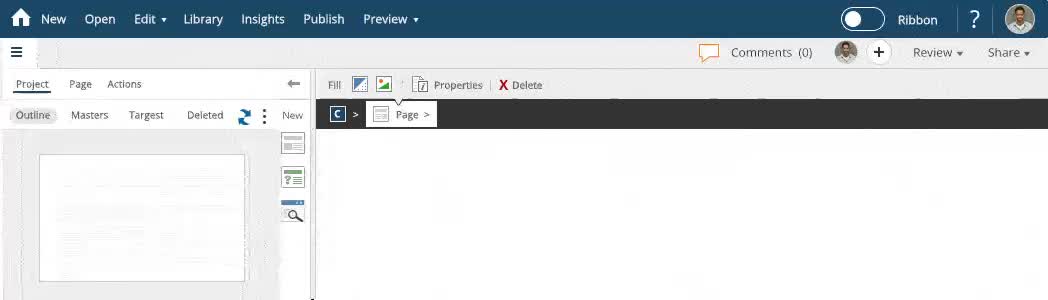
dominKnow | ONE is a unified eLearning authoring platform that combines traditional course authoring with responsive eLearning and built-in software simulation. Our rapid eLearning development tool leverages templates, a central content library, and real-time collaboration to let you build more kinds of content — faster and with fewer tools
dominKnow | ONE - Flow and Claro Authoring

Responsive eLearning Authoring (Flow)

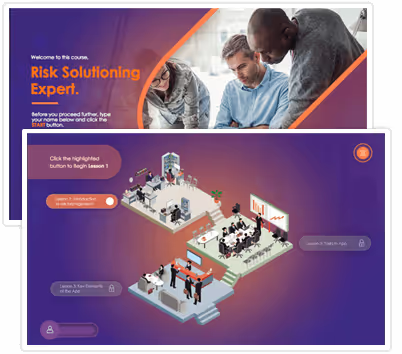
Create multiple types of responsive content without sacrificing functionality and user experience. Flow doesn't just shrink content, it automatically adapts to every device, creating true responsive content so you only need to author once.

Easily get started with loads of templates and features to customize and create engaging and visually-stunning content.

Video transcript

[00:06] Flow is our option for creating content

[00:08] that is truly responsive.

[00:10] You create one page

[00:12] and it responds to different screen widths.

[00:19] You don't waste time making and editing.

[00:21] Multiple versions of the same page

[00:26] flow lets you tap into modern visual design like the best

[00:29] websites, create gorgeous content with parex backgrounds,

[00:33] content sections, and scroll triggered.

[00:35] Entrance effects make longer single

[00:40] page learning experiences.

[00:41] Instead of just building things in a box

[00:53] flow lets you include all the interactivity

[00:54] and engagement you need from our new library of components

[00:58] to question and practice pages,

[01:00] and even inner page branching.

[01:02] There are no limits on what you can make

[01:11] with flow.

[01:11] You can use the power of responsive design to create content

[01:14] for more than just formal e-Learning

[01:17] job aids a knowledge base, infographics it's great content

[01:22] to help your learners on the job, not just in the LMS

[01:30] flow opens up so many new content experiences.

[01:34] It's an important part of how we are helping you help your

[01:37] learners in more ways than ever before.

Slide-based eLearning Authoring (Claro)

Claro is our classic authoring mode — perfect for fixed-layout / slide-based eLearning. Easily convert PowerPoint into HTML5 courses, or use pre-built eLearning course themes and templates. Claro offers a familiar interface for instructional designers while supporting modern interactive eLearning course creation.

Video transcript

[00:02] Claro is our option for authoring

[00:04] traditional e-learning courses.

[00:07] It's like working in PowerPoint

[00:09] and you can easily import a PowerPoint file to get started

[00:13] from simple to complex.

[00:15] Claro lets you create the content you need,

[00:19] need a quick e-learning course with a test.

[00:21] You can do that. Claro has a catalog

[00:24] of gorgeous template pages that make authoring easy.

[00:29] Need to go beyond template pages and add more interactivity.

[00:32] You can do that. You can easily synchronize your page

[00:36] content to a narration file file.

[00:52] Use interactive components to quickly add a tab set.

[01:12] Use custom interactions like buttons,

[01:17] sliders, and input boxes or drag

[01:21] and drop to create any learning experience you can imagine.

[01:30] You can even make interactive videos,

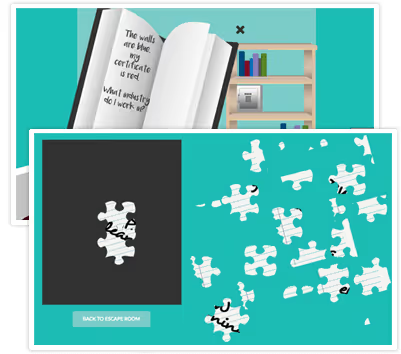
[01:33] custom branching simulations or games,

[01:39] and everything you make is published as HTML five,

[01:43] so your learners can take the course no matter

[01:45] what device or screen they're using.

[02:35] Claro has all the features you need

[02:37] to author great e-learning courses.

[02:40] It's an important part of

[02:41] how we are helping you help your learners in more ways than

[02:44] ever before.

Authoring

Built-in software simulation and screen capture

No need for a separate simulation tool — dominKnow | ONE includes a built-in software simulations eLearning capability for Windows and Mac. Whether you want a “Show Me” interactive demo, a “Try Me” guided experience, or a “Guide Me” tutorial, you have full flexibility to capture, simulate, and reuse software processes.

Video transcript

[00:03] Capture is our feature for creating software lessons

[00:07] to make a lesson launch.

[00:08] Capture then carry out the steps of a task.

[00:13] Capture follows along and surprise captures what you do.

[00:23] Capture record screenshots for each step.

[00:25] Plus hotspots and instruction text.

[00:29] It's easy to edit the steps and to add audio

[00:32] or more onscreen content to help your learners.

[00:36] When you're done the lesson, just drag

[00:39] and drop it on a Claro or flow page.

[00:45] Then set the lesson to behave as an animated.

[00:47] Show me an interactive try me.

[00:51] A list of guided steps

[00:53] or even a scoreable Test

[00:57] capture can also create animated gifs,

[00:59] single screen captures, and even printable documents.

[01:03] So you have plenty of ways to help your learners.

[01:06] Capture is one of our favorite features.

[01:08] It's an important part of

[01:09] how we are helping you help your learners in more ways than

[01:13] ever before.

Step-by-step instruction

Show me - records all steps and provides an interactive video-like experience where learners can start from any step in the demonstration.

Visualize individual Steps

Guide me - allows users to quickly view all steps in a process.

Explore for Yourself

Try me - allows users to interact, try for themselves, and use hints as needed.

Authoring

Authoring that adapts to your team's needs

Our authoring solution supports different roles and experience levels through collaborative content creation system and adaptive workspaces. Choose from Essentials, Essentials Plus, or Designer modes to suit your team's needs. This interactive course creation approach helps both new and advanced authors be productive immediately.
Adjustable Workspaces

Users can be set up to be locked in one mode or given the option to adjust their settings as their needs and experience grow.

Essentials

Need to get up and running quickly, with Essentials, authors have a minimal interface giving them the ability to quickly create great looking content.

Essentials Plus

Want to add more interactivity, move beyond the team and system provided templates.

Designer

Experience the full power of dominKnow | ONE with access to all the features

Authoring

Create anything you want

dominKnow | ONE is not just another authoring tool for trainers — it’s a full-featured content authoring and publishing solution. Build formal courses, job aids, knowledge bases, performance support portals, or even interactive scenarios and soft skills training — all from one platform.
Authoring

Unlock your content with single-source authoring

Our single-source eLearning authoring model ensures reuse and maintainability: break down your program into reusable learning objects (courses, job aids, knowledge base articles, and more). Update once and deploy everywhere, thanks to our elearning content reuse library.
C
Course
KB
Knowledge Base
C
Content
JA
Job Aid
SP
Support Portal
Authoring

Rapid eLearning authoring software for beginner to advanced authors

dominKnow | ONE is designed for everyone — from first-time creators to expert instructional designers. Our rapid eLearning development tool gives authors access to prebuilt training course templates, themes, and layouts. Convert PowerPoint, import assets, or start fresh — and make interactive, mobile-ready content in minutes..
Rapid eLearning Authoring
Get Started Quickly

Choose from several content types, themes, templates, and layouts.  Customize with speed and ease.

Convert PowerPoint to eLearning
Convert from powerPoint

Take existing PowerPoint slides and convert them to traditional eLearning.

Manage digital assets
Manage Digital Assets

Use your own assets or choose from countless pre-loaded stock photos, characters, icons, and shapes.

Sharing, Reuse, and Versioning
Share, Reuse And Versioning

Easily share, reuse, and update existing content.  Made a mistake? No sweat, roll back to an earlier version. Say goodbye to lost content and hello to faster development and mass updates.

WCAG Level 2.0 AA
Customizable look and feel

With theme designer, you can easily create a look and feel that reflects your organization's brand. You can reuse the theme across all your courses and if standards change, update all of them at once.

Authoring

Easily build interactive and engaging experiences without boundaries

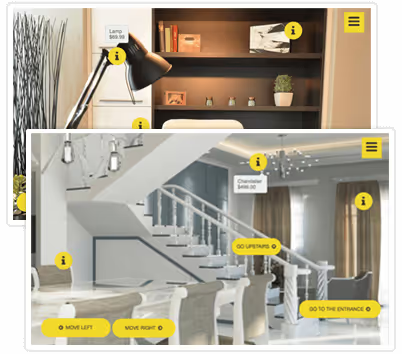
Engage your learners with powerful, interactive eLearning courses. dominKnow provides a rich library of pre-built components — tabs, timelines, flip cards, branching scenarios, animated panels, and more — all without programming. Build personalized, scenario-based training or soft skills simulations using system and custom variables.
Powerful eLearning Components
Powerful Components

Easily add pre-built tab sets, panels, carousels, flip cards, timelines, and more.   

Learner Initiated Events

Choose from dozens of different types of actions and triggers such as show, hide, swap, lightbox, animate, and more.

Interactive eLearning Scenarios
Interactive Scenarios

Use branching, navigation, and conditions to build content that enables learners to take control of their learning path.

Personalized Experiences

Use system and custom variables to create highly individualized interactions, track learner usage for custom events and even create scoring or awards for gamification.

Design Options

Easily create a unique look and feel with themes, page, section, and dynamic backgrounds. Set entrance effects to animate content as learners scroll.

User Input and Progress

Gather input from users with form controls sliders, radio buttons, checkboxes, menus and more.  Use this information with progress bars and gauges to give learners immediate feedback.

Do More, Faster with a Modern eLearning Authoring Solution

dominKnow | ONE delivers a scalable, cloud-based authoring and LCMS in one.
start your free trial
14-day trial, no credit card required.
PC, MAC, and Chromebook friendly

Friendly support team at the ready

We’ve earned a strong reputation for delivering superior customer support, with a human touch. We offer dedicated support programs, from a world-class support team, online user community, training and support related resources.